GrammarVista.com USA is a search term commonly used by people looking for English grammar help, especially tools suitable for American English. It is not the name of a separately verified U.S.-only service. There is also a spelling difference worth knowing: grammarvista.com currently operates as a writing and general-interest content website, while grammervista.com—with an “e” where the other domain has an “a”—offers a free browser-based grammar checker, spelling suggestions, readability features, and English lessons.
The checker says it works without registration and uses American English by default. I would check the address carefully before trusting a review, because descriptions of these similarly named websites are easy to mix up.
If you want grammar articles, you can explore the first domain. If you want to paste in a sentence and review suggested corrections, the second is the one advertising that tool. Here is what I found in their published information, where I see practical value, and where I would remain cautious.
First, Know Which GrammarVista Website You Are Visiting
The most useful distinction is also the easiest to overlook. A single changed letter leads to a different website experience.
I would not assume the two sites share an owner or technology simply because their names look alike; the public pages I reviewed do not establish that connection.
| Website | What its public pages currently show | Why you might visit |
|---|---|---|
| grammarvista.com | Articles about grammar, punctuation, vocabulary, plus content across other topics | Read explanations and examples |
| grammervista.com | An interactive English checker, learning resources, vocabulary and writing tools | Check sentences and explore corrections |
The first site describes itself as Grammar Vista and publishes grammar guidance. Its homepage also displays articles in categories beyond language education, so it is best understood as a content website rather than the checker described below.
The second site brands itself GrammarVista.com despite its different URL spelling. Its homepage presents an editor named Rizwan Aslam and a tool that explains suggested changes.
Whenever I refer to the checker in this review, I mean the service at grammervista.com. That naming clarity matters more than another list of features.
What Does the GrammarVista Checker Actually Offer?
The tool presents itself as a lightweight writing assistant, not a full document editor.
According to its tools page, it checks grammar and spelling, looks for wordy phrasing, and counts basic text statistics. The main attraction is that it tries to explain why a change makes sense.
Grammar and Usage Suggestions
The website reports 134 grammar and usage rule groups. These cover common problems such as subject–verb agreement, articles, countable nouns, confusing word pairs, comparisons, and verb forms after words such as “will” or “did.”
That number describes categories in the site’s rule system, not a proven accuracy score.
A checker can have many rules and still overlook a mistake in an unfamiliar sentence. I care more about whether it catches the errors I actually make than how impressive the rule count looks.
Spelling and Word Choice
The site says its dictionary contains 276,734 words. It can suggest alternatives for an unrecognized spelling, while trying not to interfere with names and specialist terms that have no close dictionary match.
Its clarity checker also identifies some unnecessarily long phrases and weak word choices.
For example, a writer might replace “at this point in time” with “now.” That is my editing example, not a documented result from a live GrammarVista test.
Readability, Counting, and Learning
On the checker page, visitors can find modes labeled Grammar, Spelling, Clarity, Word Explorer, Readability, and Word Counter.
The interface also displays character, word, and sentence counts and an estimated reading time.
Beyond the tool, the site links to explanations, vocabulary resources, exercises, and lessons.
For me, that learning component is the more interesting feature: correcting one sentence is useful, but recognizing the same mistake next week is better.
Is GrammarVista.com USA Free? What Are the Limits?
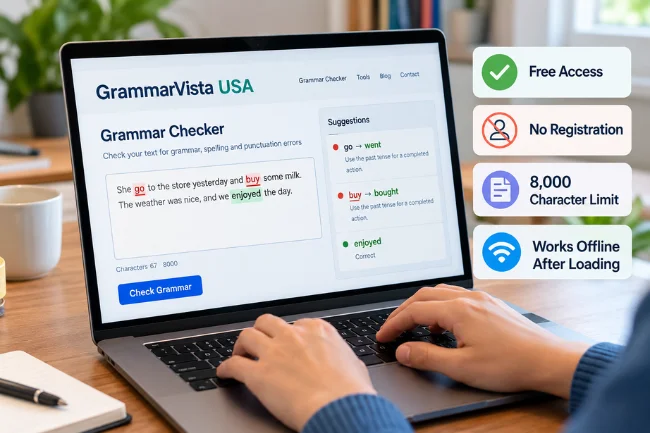
The checker currently advertises free access without email registration, an account, or a paid upgrade for additional correction categories.
Its text field displays an 8,000-character limit. That is a character limit, not an 8,000-word allowance; spaces and punctuation contribute to it too.
An ordinary email, short blog section, job application paragraph, or customer reply should usually fit.
A long academic paper, lengthy contract, or multi-chapter draft will not fit in one pass. I would divide larger work by logical sections, keep the headings attached, and review transitions after recombining the text.
The site also claims the checker can continue working offline once the webpage and dictionary have loaded.
I would treat that as a product description rather than a guarantee for every browser or device. There is no need to install an app to try the main web interface.
How I Would Use It to Improve a Draft
I prefer a two-pass approach: first make the writing clear to a person, then use software to catch mechanical problems.
Otherwise, I can end up polishing a sentence that never needed to exist.
Start with one short, non-sensitive paragraph. Open the online checker, paste the text, and use the full check or a more focused mode.
Look at each finding rather than accepting every suggestion automatically. The site says it can show as many as three correction options and an explanation of the rule.
Next, read the result aloud. A technically correct sentence can still sound distant or awkward.
If you are preparing a message for customers, check names, prices, dates, links, and promises separately; grammar software cannot confirm whether those details are true.
Finally, compare the corrected version with the original. Did it preserve your meaning? Did the tone remain appropriate?
I would keep any wording that works better for the intended reader, even if a style suggestion prefers something else.
A Small Example of Better Business Writing
Consider this original sentence:
“We are writing to inform you that your request is currently being reviewed by our team at this point in time.”
My edited version would be:
“Our team is reviewing your request now.”
Both communicate the same status, but the second removes unnecessary words and reaches the point faster.
This is an illustrative edit I created, not a claim that the tool produced it.
That distinction matters. Automated proofreading can help identify issues, but clarity still comes from deciding what the reader needs to know.
What the Checker May Miss
This is where I would be especially careful.
The developer’s own feature documentation lists several limitations: some noun-subject agreement errors, comma placement, run-on sentences, tense shifts across paragraphs, and real-word mix-ups such as “form” instead of “from.”
It also says the tool cannot judge the strength of an argument or the suitability of a tone.
Those admissions are useful because they tell me what to check myself. I would not treat a blank correction panel as proof that an entire document is error-free.
Here are four sentences I would include in a personal evaluation of any grammar tool:
- “The boxes is heavy.” Check whether it recognizes agreement with a plural noun.
- “Please send the form from accounting.” Check whether an intentional word remains unchanged.
- “Yesterday I called the manager, and today I was calling again.” Examine whether it understands the intended timeline.
- “The proposal looks good it needs a budget.” See whether it detects the missing sentence boundary.
These are suggested test cases, not published test outcomes.
Testing both incorrect and already-correct sentences also helps identify false alarms, which can be just as distracting as missed errors.
American English: What the “USA” Part Means
GrammarVista.com USA does not appear to be a geographic edition requiring a U.S. address.
The checker says it defaults to American English while recognizing British spelling variants. In other words, “color” and “colour” may both pass a spelling check, even when your publication needs a single consistent style.
For an American audience, I would usually choose forms such as “center,” “traveling,” and “organization,” then follow the style requirements of the client or publication.
Dates deserve even closer attention: 04/05/2026 could be April 5 in the United States but 4 May in another convention. Writing “April 5, 2026” removes that ambiguity.
A dictionary’s acceptance of both regional variants does not mean it will enforce your house style.
The same applies to punctuation around quotation marks, collective nouns, and terms such as “apartment” versus “flat.”
Set one regional standard for the whole document and inspect it manually.
Privacy: Does Text Stay in Your Browser?
Privacy is one of the site’s strongest advertised benefits, but I would separate the claim from independent verification.
Its homepage and tools documentation say that the core grammar checker and dictionary operate locally after loading, so the text being checked is not uploaded to its server.
There is an exception worth noticing.
The site states that Word Explorer may send an individual lookup word to an external dictionary provider. Sending one word is different from uploading an entire document, but it is still a separate data interaction.
If I needed to assess that claim for a workplace, I would open the browser’s developer tools, select the Network panel, and observe requests while typing ordinary sample text.
I would repeat the check when using Word Explorer. That is a verification method readers can follow, not a security audit I have performed.
I would never paste passwords, unreleased financial results, medical records, customer identifiers, or confidential contracts into an unapproved service merely because it advertises local processing.
Browser extensions, device security, company policies, and other website features can affect risk. For sensitive work, obtain organizational approval first.
Is GrammarVista Legitimate and Trustworthy?
I found several useful transparency signals on the checker website: an About page, an editorial policy, a named editor, contact information, and an unusually explicit list of checker limitations.
Its editorial pages identify Rizwan Aslam as the person who writes and reviews lessons and helps build the learning tools.
Those details make the site easier to evaluate, but they do not establish error-free performance, independent certification, or the identity of every legal entity behind it.
I also would not equate “free” with “safe for any document.”
My standard is practical: Can I identify what the tool does, understand what it misses, verify its privacy claims where possible, and contact someone when something goes wrong?
Transparency is a good start; careful use remains necessary.
GrammarVista vs. Grammarly, LanguageTool, and Microsoft Editor
The right choice depends on where you write.
A browser-based checker is convenient for occasional text, while an integrated writing assistant can be easier when most of your work happens inside email, documents, and apps.
| Tool | Practical strength | Main trade-off to consider |
|---|---|---|
| GrammarVista checker (grammervista.com) | Free, no-sign-up checking with rule explanations | Shorter text field; no comparable cross-app integration documented on its tools page |
| Grammarly | Writing suggestions across desktop apps, email, and browsers | Some functionality depends on its product tier and environment |
| LanguageTool | Multilingual checking and browser or document integrations | Features and limits vary by version and plan |
| Microsoft Editor | Spelling and grammar support in Microsoft writing workflows | Advanced refinements can depend on Microsoft 365 access |
I would not rank these tools by accuracy without applying the same sample documents to each.
For now, this is a comparison of advertised workflows, not an independent head-to-head benchmark.
If you write occasionally and want an explanation of an English grammar rule, the GrammarVista checker is worth considering.
If you write continuously in Word, Outlook, or several languages, an integrated alternative may reduce copying and pasting.
Where It Helps Most—and Where I Would Use Something Else
Students and English learners may benefit from seeing an explanation alongside a suggested correction.
A freelancer can use the checker to tidy an email before sending it. A blogger can inspect small sections for basic grammar issues without having to register for a service.
For customer support, I would use it to catch obvious wording mistakes, then confirm that the reply actually addresses the customer’s problem.
For job applications, it can support proofreading, but the resume still needs accurate achievements and a clear connection to the role.
I would be far more conservative with legal documents, clinical instructions, financial disclosures, and technical specifications.
A perfectly grammatical sentence can still be dangerously inaccurate. Those situations require subject-matter review, source checks, and established approval procedures.
A Writing Routine That Does More Than Correct Typos
My preferred routine is simple.
First, write the message in plain language and identify the action the reader should take. Second, remove details that do not serve that purpose.
Third, run a grammar and spelling check on non-sensitive text. Fourth, verify every fact and important number against its source.
Finally, read the work as the intended audience.
If a first-time customer needs to reread the sentence to understand it, another grammar pass probably is not the answer. Rewrite the idea instead.
That approach turns any checker into a supporting tool rather than the final authority over your words.
My Verdict on GrammarVista.com USA
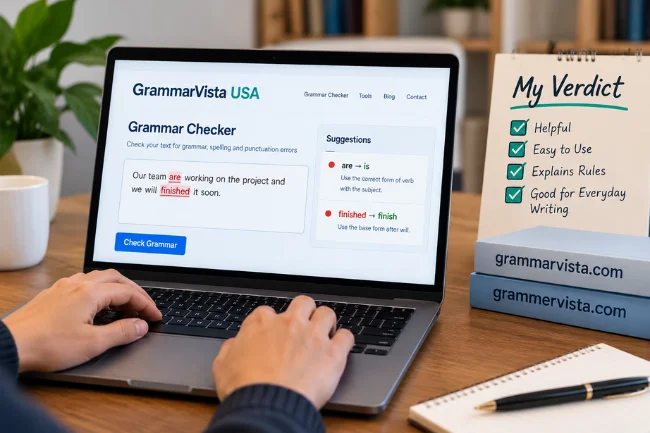
I see value in a free checker that explains rules rather than merely proposing replacements.
Its stated browser-local design, learning materials, and straightforward interface make it a reasonable option for short, everyday English drafts—provided its claims and limitations are understood.
The bigger lesson is to identify the correct domain before you begin.
Visit grammarvista.com for its published content, or grammervista.com for the checker discussed in this article. Use a harmless sample sentence first, examine the suggestions, and decide whether the tool fits your writing needs.
Frequently Asked Questions
Is GrammarVista.com USA a separate American website?
No separate U.S.-only edition is identified in the checker’s published information. It describes American English as its default while accepting British variants.
Which GrammarVista website has the grammar checker?
The interactive checker reviewed here is advertised at grammervista.com, with an “e.” Grammarvista.com, with an “a,” currently presents a content-focused website.
Is the GrammarVista grammar checker free?
Its website advertises free use without an account or paid tier. The text box currently displays an 8,000-character limit.
Can GrammarVista check writing offline?
The provider says checking works offline after the page and dictionary have loaded. Availability can still depend on the browser and what is cached.
Can I rely on GrammarVista for confidential or high-stakes writing?
I would not do so without independent privacy checks and the relevant organization’s approval. Human review is essential for high-stakes accuracy.
Related Posts